
Easy Drawing and Painting App
Pofi Brush is a mobile art tool that empowers creators and artists to enjoy an exceptional painting experience while exploring their creativity.
輕鬆繪畫應用
Pofi Brush 是一款移動藝術工具,讓創作者和藝術家在探索創意的同時享受卓越的繪畫體驗。
Featuring dozens of beautifully crafted brushes, a full suite of layer and color tools, an elegant and intuitive interface, and a smooth, powerful 2D Artistic Engine, Pofi Brush offers a complete digital art studio—entirely free. Whether you're a beginner or a professional, it helps you sketch stunning illustrations, comics, and cartoons on your phone or tablet. Create and express your ideas anytime, anywhere.
Pofi Brush 擁有數十款精心打造的畫筆、全套圖層與色彩工具、優雅直觀的介面以及流暢強大的二維藝術引擎,為您提供一個完全免費的完整數字畫室。無論您是初學者還是專業人士,它都能幫助您在手機或平板電腦上繪製出精美的插圖、漫畫和卡通作品。隨時隨地創作並表達您的創意。
Powerful 2D Artistic Engine
Developed by the Pofi team, the 2D Artistic Engine is optimized for 64-bit multi-core processors and supports multiple platforms. It handles large HD canvases and multiple layers efficiently, delivering a smooth, responsive painting experience.
強大的二維藝術引擎
由 Pofi 團隊開發的二維藝術引擎針對 64 位多核處理器進行了最佳化,並支援多個平臺。它能高效處理大型高畫質畫布和多層結構,帶來流暢且響應迅速的繪畫體驗。
- Create on canvases up to 4K × 4K pixels for crisp, lifelike artwork.
-在最高可達 4K × 4K 畫素的畫布上創作,呈現清晰逼真的藝術作品。
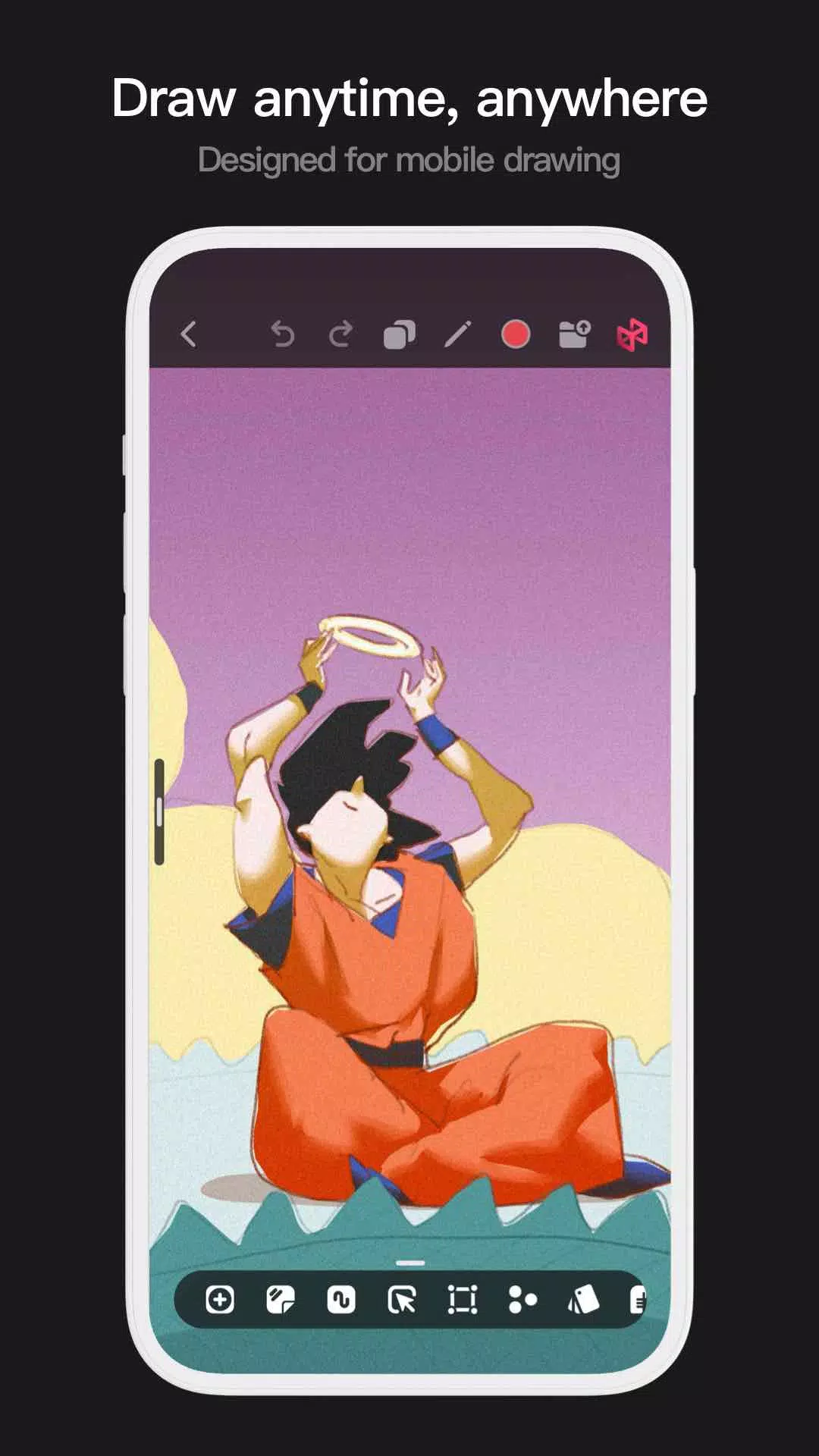
- Intuitive mobile interface designed for easy painting.
-專為輕鬆繪畫設計的直觀移動介面。
- Optimized for 64-bit multicore processors to ensure smooth performance.
-針對 64 位多核處理器最佳化,確保流暢執行。
- Use an electronic pen for realistic, low-latency strokes.
-使用電子筆可實現逼真且低延遲的筆觸效果。
- Auto-save and save-on-exit protect your work.
-自動儲存和退出時儲存功能可保護您的作品。
- All features are fully supported on both phones and tablets.
-所有功能均在手機和平板電腦上得到完整支援。
Professional Brush Editor
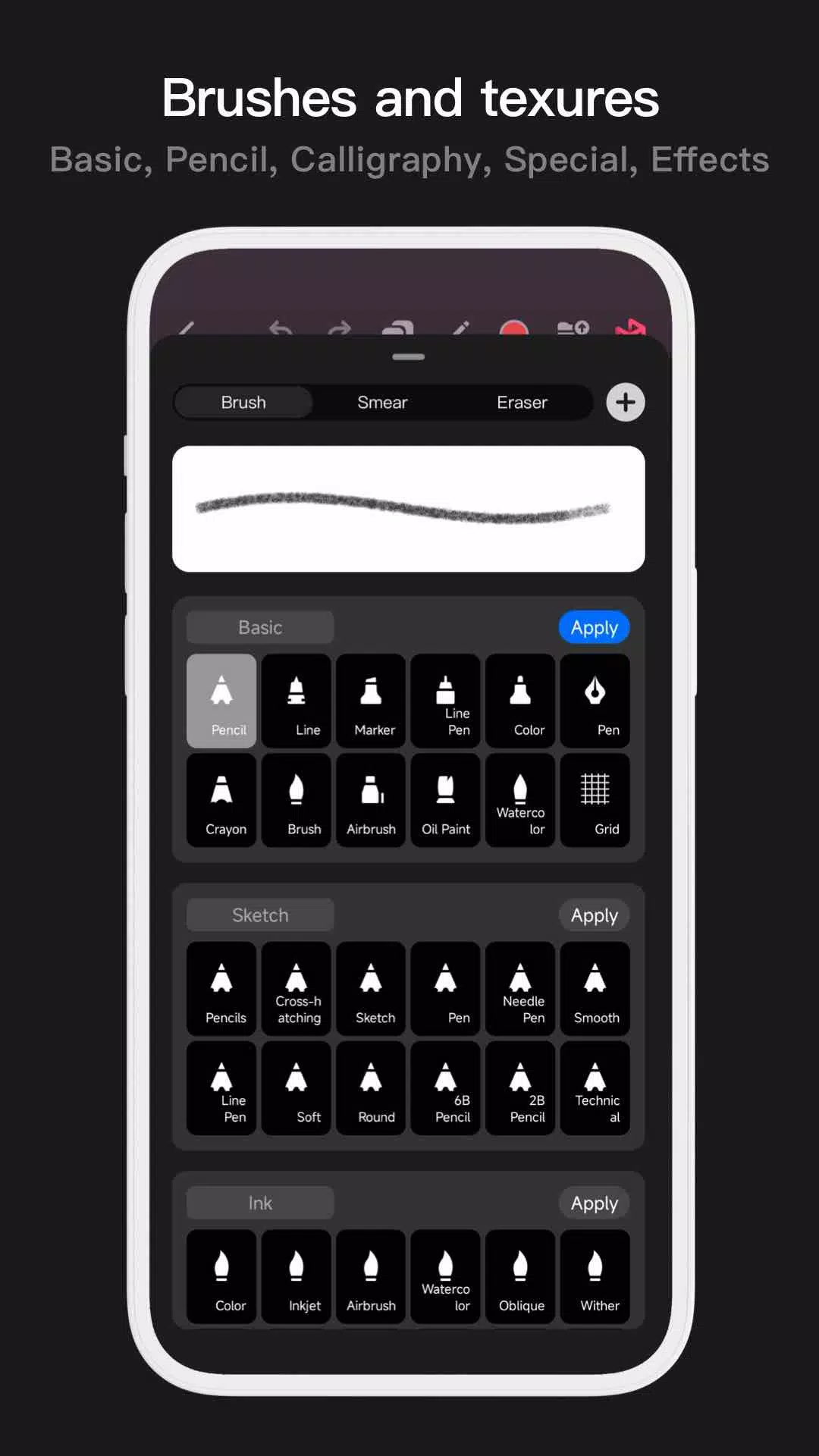
Pofi Brush comes with dozens of versatile preset brushes, each with over 40 customizable settings. Tailor brushes to your style and needs—or design your own for truly unique artwork.
專業畫筆編輯器
Pofi Brush 內建數十款多功能預設畫筆,每支畫筆均提供超過 40 項可自定義設定。可根據您的風格和需求定製畫筆,或設計專屬畫筆以創作獨一無二的作品。
- Access a wide variety of creative brushes for sketching, inking, textures, art effects, and more.
-訪問多種創意畫筆,適用於草圖繪製、勾線、紋理處理、藝術特效等更多用途。
- Each brush supports three modes: Brush, Eraser, and Smudge.
-每支畫筆支援三種模式:畫筆、橡皮擦和塗抹。
- Over 40 settings per brush, plus a library of preset nib shapes and textures.
-每支畫筆擁有超過 40 項設定,並附帶預設筆尖形狀與紋理庫。
- Organize brushes into groups for better workflow management.
-將畫筆分組以實現更高效的工作流程管理。
- Anti-flutter brush strokes enhance smoothness and flow.
-防抖動筆觸功能提升繪畫的流暢度與自然感。
- Finger-painting mode simulates pressure for fine, brush-like control.
-手指繪畫模式模擬壓力感應,實現細膩如毛筆般的控制效果。
- Maximize electronic pen features including tilt and pressure sensitivity for a natural drawing feel.
-充分發揮電子筆功能(包括傾斜與壓感靈敏度),帶來自然真實的繪圖體驗。
Advanced Multi-layer System
With grouping, layer effects, and adjustment options, Pofi Brush’s multi-layer system gives you precise control to build detailed, professional artwork.
高階多層系統
透過圖層分組、圖層效果和調整選項,Pofi Brush 的多層系統讓您能夠精確控制細節,打造專業級藝術作品。
- Use Layer Preview to quickly find and select layers.
-使用“圖層預覽”功能快速查詢並選擇目標圖層。
- Drag, drop, group, merge, and delete multiple layers with ease.
-輕鬆拖放、分組、合併或刪除多個圖層。
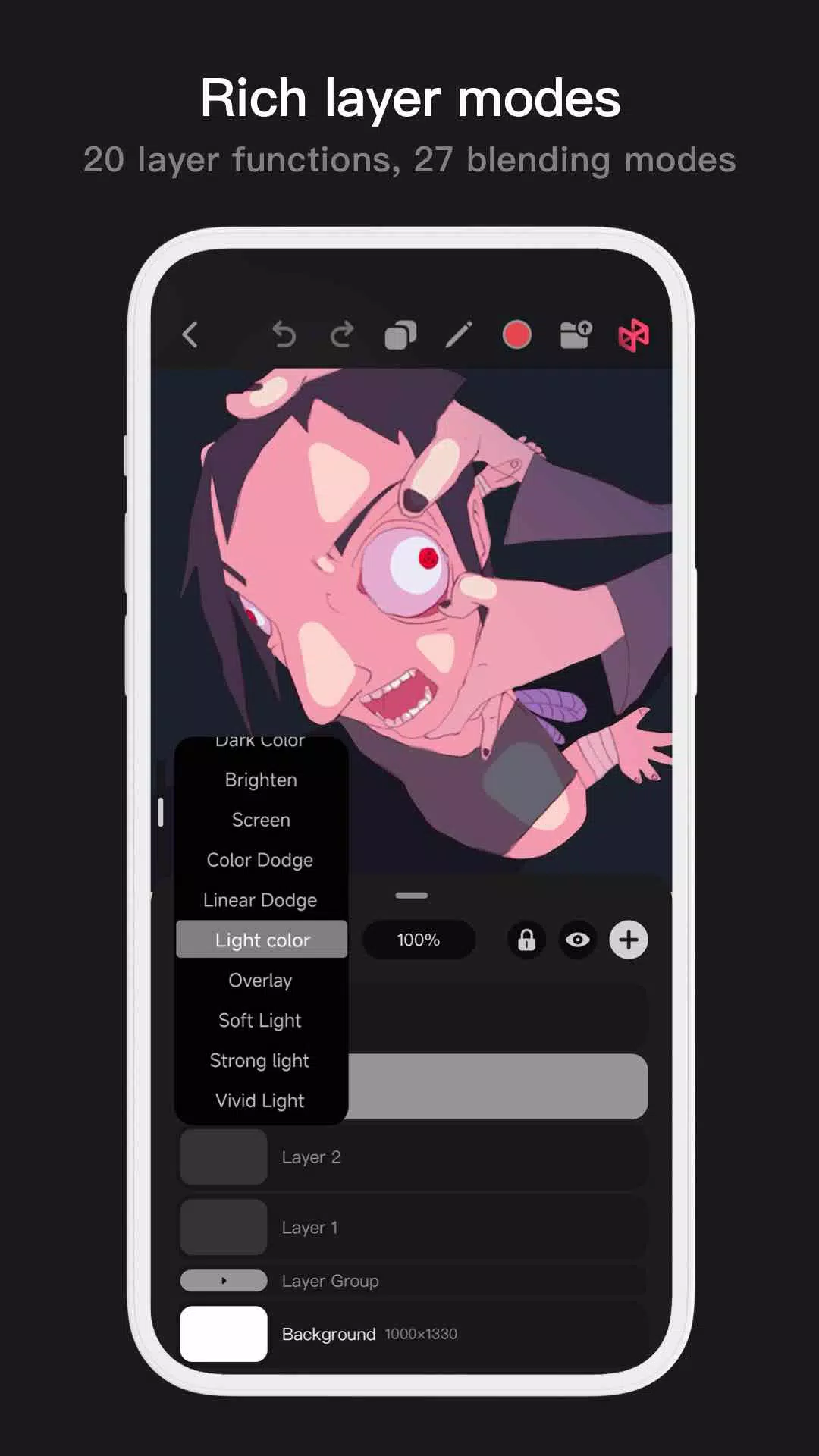
- 20 layer functions: reorder, show/hide, lock, adjust opacity, multi-select, group/ungroup, and more.
-提供 20 項圖層功能:重新排序、顯示/隱藏、鎖定、調整不透明度、多選、編組/取消編組等。
- 27 layer blending modes including Standard, Darken, Multiply, Color Burn, Linear Burn, Lighten, Screen, Color Dodge, Linear Dodge, Overlay, Soft Light, Hard Light, and others.
-支援 27 種圖層混合模式,包括標準、變暗、正片疊底、顏色加深、線性加深、變亮、濾色、顏色減淡、線性減淡、疊加、柔光、硬光等。
Full-featured Color Tools
Access a range of color tools and palettes to quickly find and apply the perfect hues for your artwork.
功能齊全的色彩工具
使用多種色彩工具和調色盤,快速查詢並應用適合您作品的完美色調。
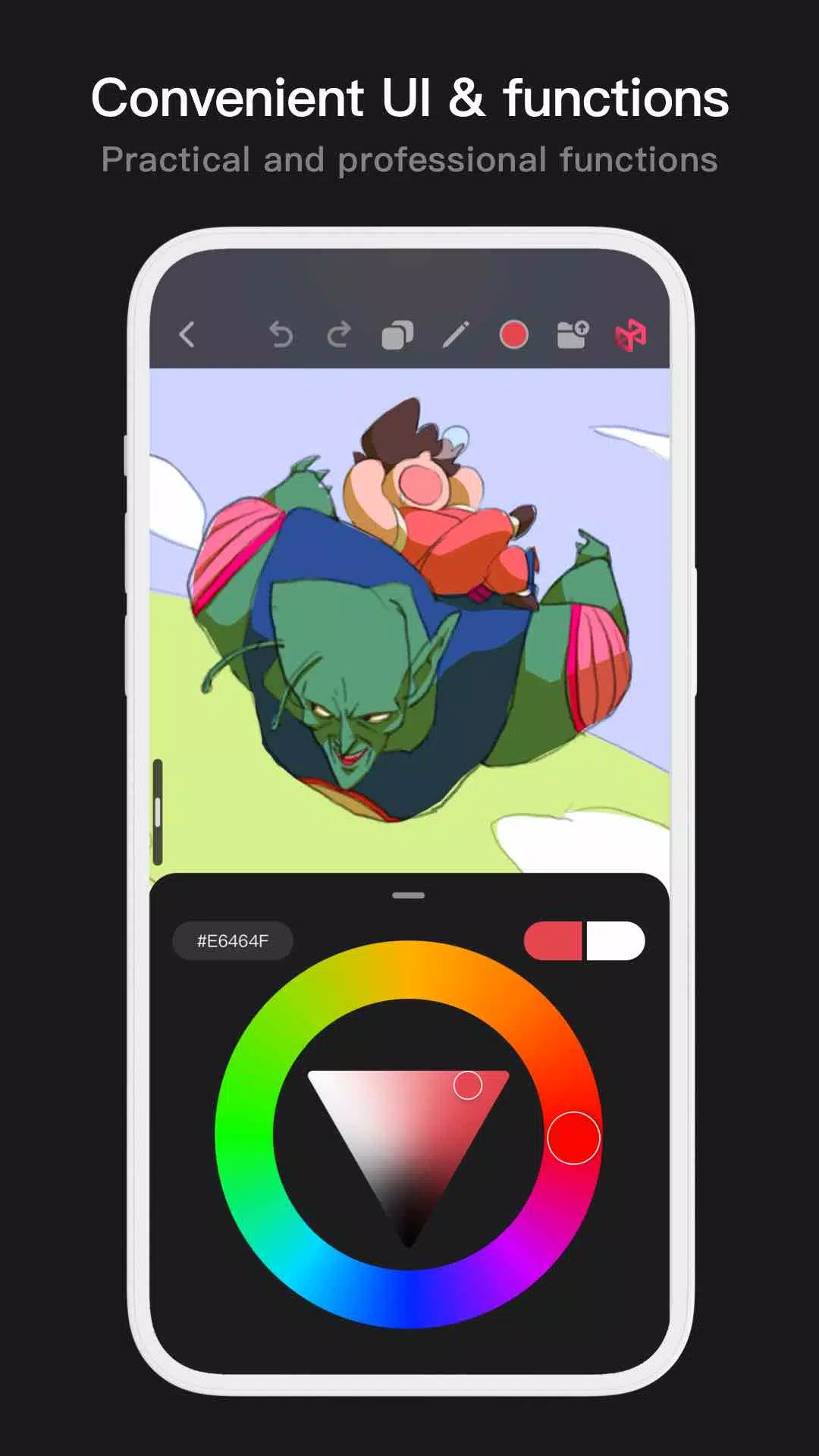
- Four color panels: circular palette, square palette, HSB numerical input, and grouped color swatches.
-四種顏色面板:圓形調色盤、方形調色盤、HSB 數值輸入以及分組色樣。
- Two color picking methods: enter hex codes or use the long-press color picker.
-兩種取色方式:手動輸入十六進位制程式碼或使用長按式拾色器。
- Six swatch functions: group swatches, rename groups, reorder groups, sort colors, overlay swatches, and delete swatches.
-六項色樣功能:分組色樣、重新命名組、重新排序組、顏色排序、疊加色樣以及刪除色樣。
More Highlights
更多亮點
- Mobile interface supports half-screen and full-screen modes.
-移動介面支援半屏和全屏模式。
- Tablet interface supports expanded and compact layouts with drag-and-drop.
-平板介面支援展開式與緊湊式佈局,並支援拖放操作。
- Rotate and zoom the canvas freely.
-自由旋轉和縮放畫布。
- Automatic saving and save on exit.
-自動儲存及退出時儲存功能。
- Export images as PNG or JPG files.
-將影象匯出為 PNG 或 JPG 檔案格式。
If you have questions or suggestions, contact us at [email protected].
如有任何問題或建議,請透過 [email protected] 聯絡我們。