Turn your phone into the perfect mirror. Handy! Tap the mirror area to show or hide the menu.
Please watch the tutorial video to learn how to use the app.
[ Tomorrow, I will meet ... me ... yesterday. ]
Mirror + Selfie Camera (the best free mirror app)
Transform your phone into an ideal smart mirror.
Handy!
Tap the mirror area to show or hide the menu.
[Quick Mirror Camera Guide]
When the app starts, all menus are hidden for a realistic mirror experience.
Adjust settings using these methods:
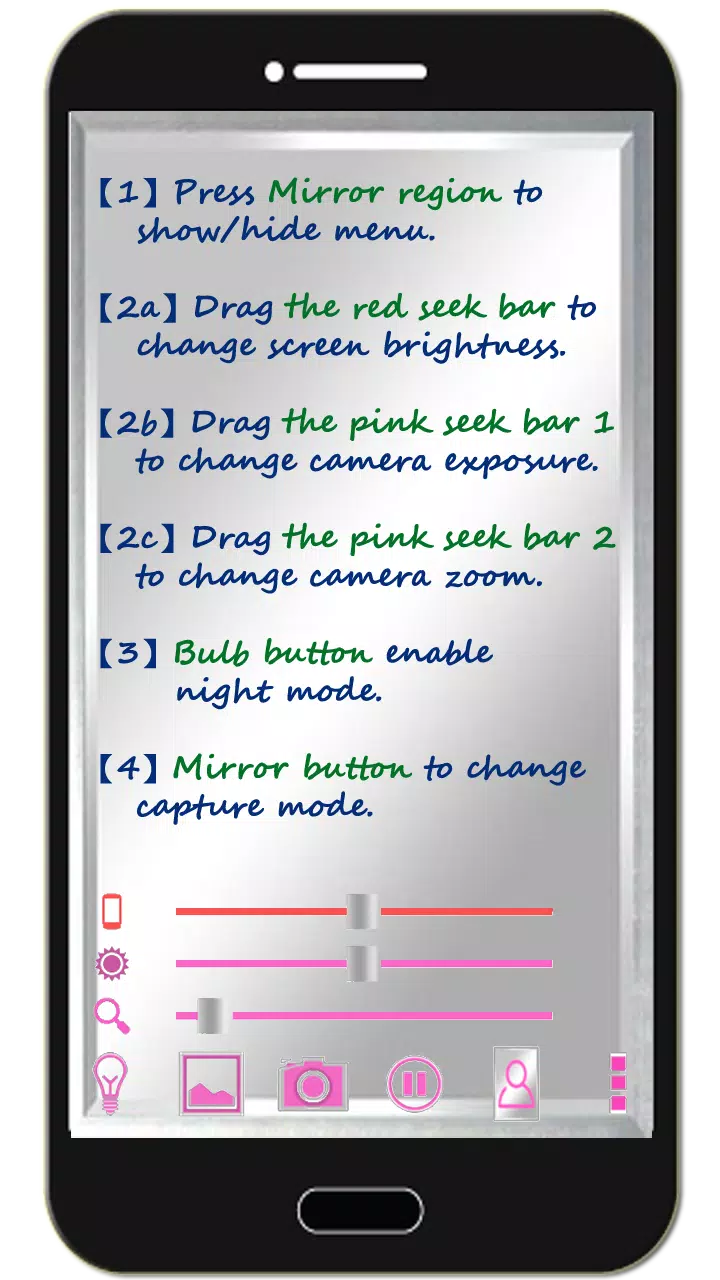
1. Tap the mirror area to show or hide the menu.
2. Drag the red seek bar to adjust screen brightness.
3. Drag the pink seek bar 1 to change camera exposure.
4. Drag the pink seek bar 2 to zoom the mirror in or out.
5. Tap the bulb button to enable or disable night mode.
6. Tap the mirror button to switch capture modes. (Choose between "Image on Mirror" or "Your Real Image")
7. Tap the pause/resume button to freeze or resume the preview. Double-tap the frozen image to zoom, or use two fingers to pinch-zoom.
8. [Volume Keys] : Press the volume-down key to pause/resume the preview (freeze image). Use the volume-up key to capture a photo. Additional options are available in the camera settings.
[Additional Features]
1. Capture pictures or edit mirror photos as desired.
2. Night mode: Tap the bulb button to activate edge panel lighting.
3. The app keeps the screen on during use. It automatically exits after 10 minutes of inactivity to save battery.
【Recommended External Photo Editor for Mirror Images】
(Line Camera)
https://play.google.com/store/apps/details?id=jp.naver.linecamera.android
This app is highly compatible and supports external photo editing with user-friendly features.
Alternatively, your device's built-in photo editor works well (tested on Samsung phones).
【Note】
Like us on Facebook to show your support.
https://www.facebook.com/jkfantasy
What's New in the Latest Version 1.6.0
Last updated on May 26, 2020
V1.6.0:
1. Minor bugs fixed.
1.6.0
2.8 MB
Android 4.0+
com.jkfantasy.camera.jkpmirrorcamera