
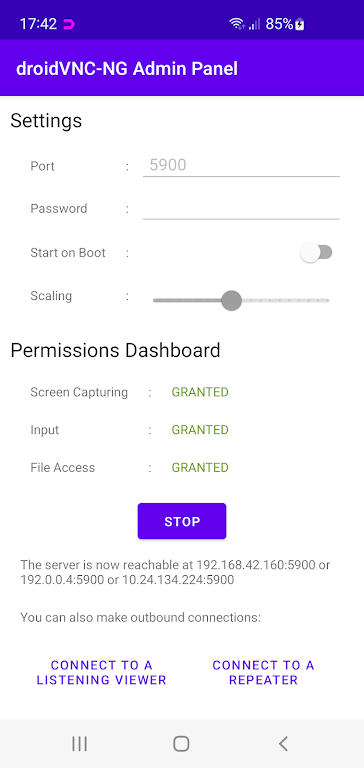
Turn your Android device into a versatile remote control and screen sharing solution with droidVNC-NG VNC Server - no root needed! Stream your screen over networks with adjustable scaling, operate your device through any VNC client, activate system functions like Home/Recent Apps remotely, and enjoy cross-device clipboard synchronization. Ideal for effortless remote access and control of your Android smartphone or tablet from anywhere.
Key Benefits of droidVNC-NG VNC Server:
❤ Comprehensive Remote Access: Securely share your device display and control it via mouse/keyboard input through any standard VNC viewer application.
❤ Hardware Key Simulation: Remotely activate essential system controls including Home, Back, and Recent Apps functions for full device navigation.
❤ Clipboard Synchronization: Seamlessly transfer text content between your Android device and remote computers for efficient workflow.
Usage Recommendations:
❤ Activate Accessibility Services: Ensure full remote control capability by enabling Accessibility API permissions in your device settings.
❤ Optimize Display Scaling: Adjust resolution scaling settings to balance performance and clarity during remote viewing sessions.
❤ Customize Input Methods: Test different keyboard/mouse configurations in your VNC client to find your preferred control scheme.
Why Choose droidVNC-NG:
droidVNC-NG delivers powerful yet intuitive remote access functionality for Android users. From professional tech support scenarios to personal device management, its feature-packed solution supports screen mirroring, complete remote operation and effortless data transfer. The lightweight application maintains smooth performance while offering enterprise-grade remote access capabilities - all without requiring root privileges. Experience next-level device control by installing droidVNC-NG today.
2.7.3
4.50M
Android 5.1 or later
net.christianbeier.droidvnc_ng