An intuitive car dock app designed for seamless music playback and smartphone management on the go.
Car Home Ultra streamlines in-car phone control with an optimized interface for drivers.
Automatically launches when your car's Bluetooth connects, with quick access via home button or overlay button (configured in Settings > Startup Options).
Features intelligent automation for vehicle use including auto-start, brightness adjustment, volume control, WiFi management, and other customizable settings.
Key Features:
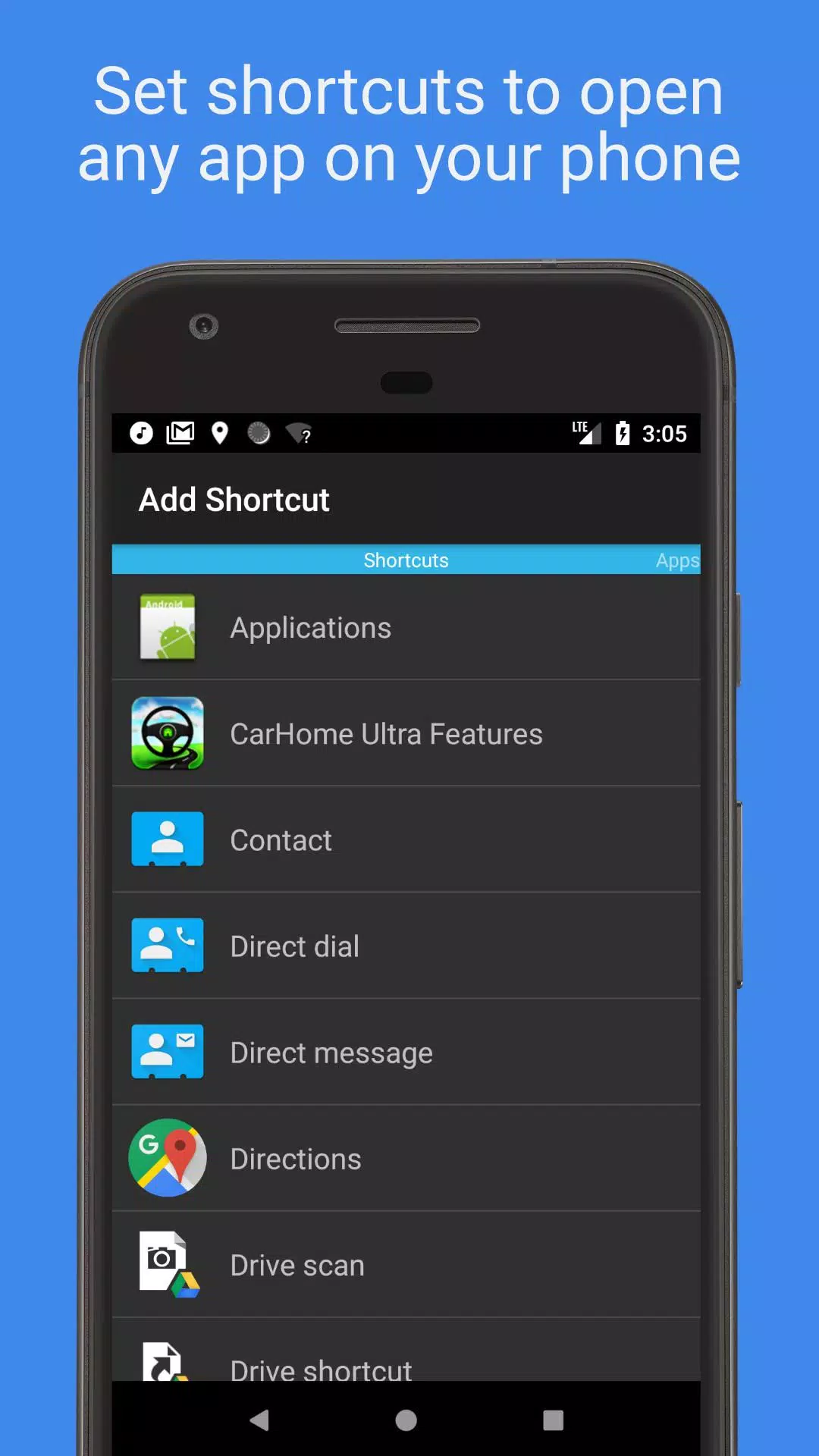
• Create unlimited shortcuts to launch apps, call contacts, or navigate to destinations with one tap.
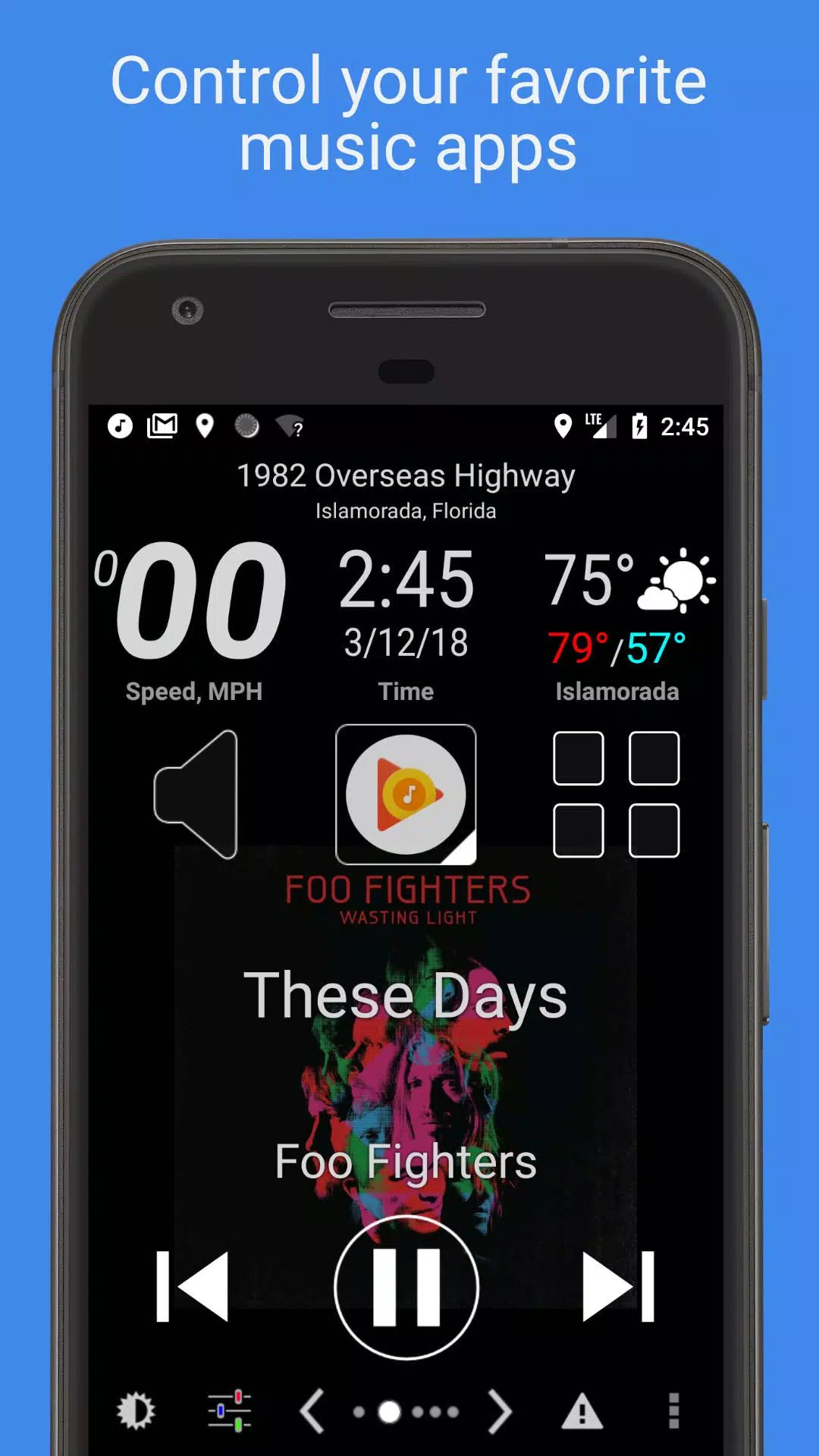
• Oversized media controls work with all audio apps for safe, distraction-free operation.
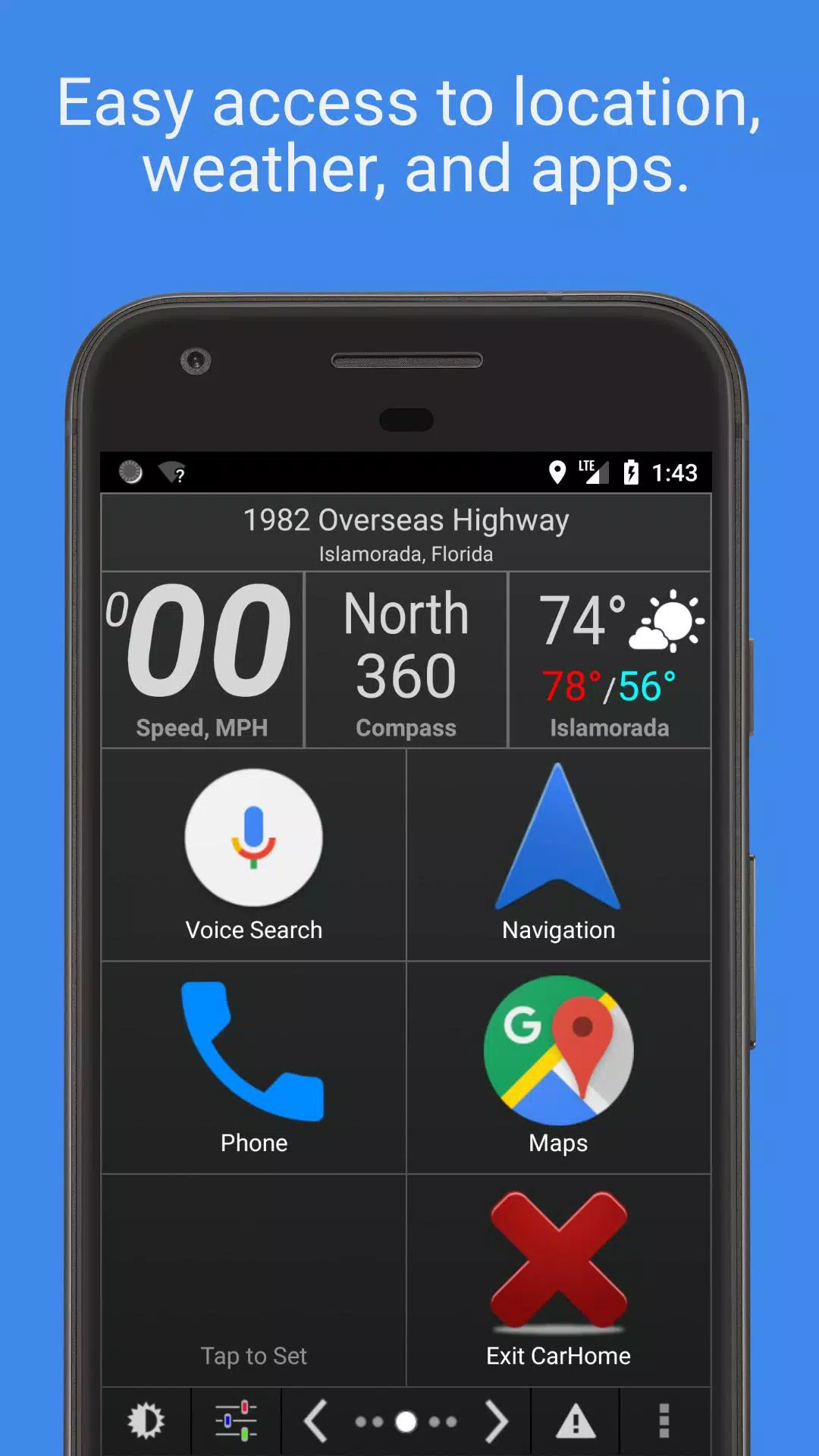
• Real-time driving data including speed, location, weather conditions, and altitude.
• Customizable interface with multiple skins and color themes.
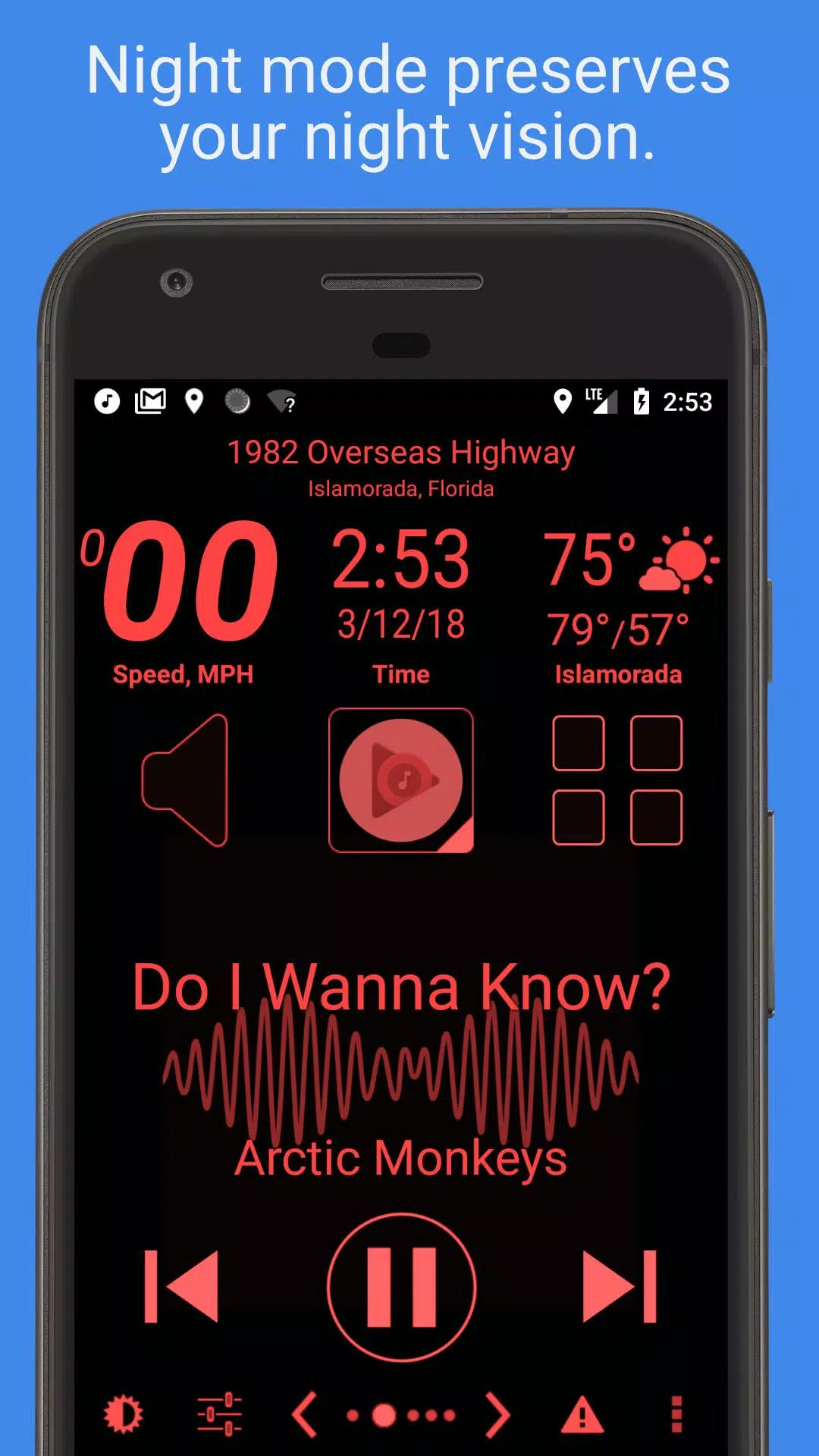
• Auto-adjusting day/night modes protect night vision.
• Smart SMS auto-reply keeps your focus on driving.
• Configurable speed alerts help maintain legal speeds.
• Complete feature breakdown available below.
Mark the Geek: "CarHome Ultra for Android - Perfect App for in Car Dock"
https://www.youtube.com/watch?v=9g-Aonh645Y
Android 4.2+ users enjoy hands-free operation through Google Voice Commands. Details here: https://support.google.com/websearch/answer/6031948?hl=en
**30-day trial available. Unlimited access requires CarHome Ultra License purchase.**
Instrument Widgets:
- Speaking speedometer
- Digital compass
- Altitude tracker
- Battery status indicator
- Live clock
- Voice-enabled weather reports
- GPS location with voice announcement
Additional Capabilities:
- Universal media controls (playback, track navigation, artist/title display)
- Unlimited customizable shortcuts- Proximity alerts
- Custom day/night themes
- Multiple UI skins
- Automatic theme switching by sunset/sunrise
- Optional auto-enable speakerphone when docked
- Bluetooth-triggered auto-launch
- Optional Bluetooth auto on/off with car mode
- Optional WiFi automation
- Speed display in KPH/MPH
- Temperature in Celsius/Fahrenheit
- Full-screen mode
- Icon pack compatibility
- Screen orientation locking (all positions)
- Android Material Design
- Display brightness/color controls
- Volume adjustment
- Tactile feedback
- Alert muting
- Three layout options (6-button, 8-button, media-centric)
- Power-saving sleep mode
- Persistent display until exit
- Automatic media playback stop on exit
- Partial inspiration for Android Auto (verified fact)
NEED HELP? Email our support team: [email protected]
Permission Explanations:
Device & App History – Essential for media controller functionality to verify compatible playback apps.
Contacts/Calendar – Required for direct dial shortcuts. Calendar access is included with contacts.
Location – Necessary for GPS-based widgets: speedometer, compass, weather, etc.
Phone – Enables direct dial functionality.
Photos/Media/Files – Used for debug logging only. Media access is included but unused.
Camera/Microphone – Currently enables audio visualization (mic required for audio stream access). Future voice features may utilize microphone. Camera permission is included but inactive.
Wi-Fi Connection – Required for toggling WiFi functionality in car mode.
4.74
4.6 MB
Android 4.4+
spinninghead.carhome